This glassbox function (in contrast to a "black box" function where you run
it and get a result but have no (or little) idea as to how you got from input
to output) has a few primary benefits over calling each exported function
from eyeris separately.
Usage
glassbox(
  file,
  interactive_preview = FALSE,
  preview_n = 3,
  preview_duration = 5,
  preview_window = NULL,
  verbose = TRUE,
  ...,
  confirm = deprecated(),
  num_previews = deprecated(),
  detrend_data = deprecated(),
  skip_detransient = deprecated()
)
Arguments
- file
Either an SR Research EyeLink
.ascfile generated by the official EyeLinkedf2asccommand, or a pre-constructedeyerisobject. When an.ascpath is supplied, theload_ascstep reads and parses it. When a pre-loadedeyerisobject is supplied instead (for example, the output ofload_generic()for non-EyeLink trackers, or an existingload_asc()object), the load step is skipped and the remaining pipeline runs on the object as-is – enablingload_generic(...) |> glassbox()- interactive_preview
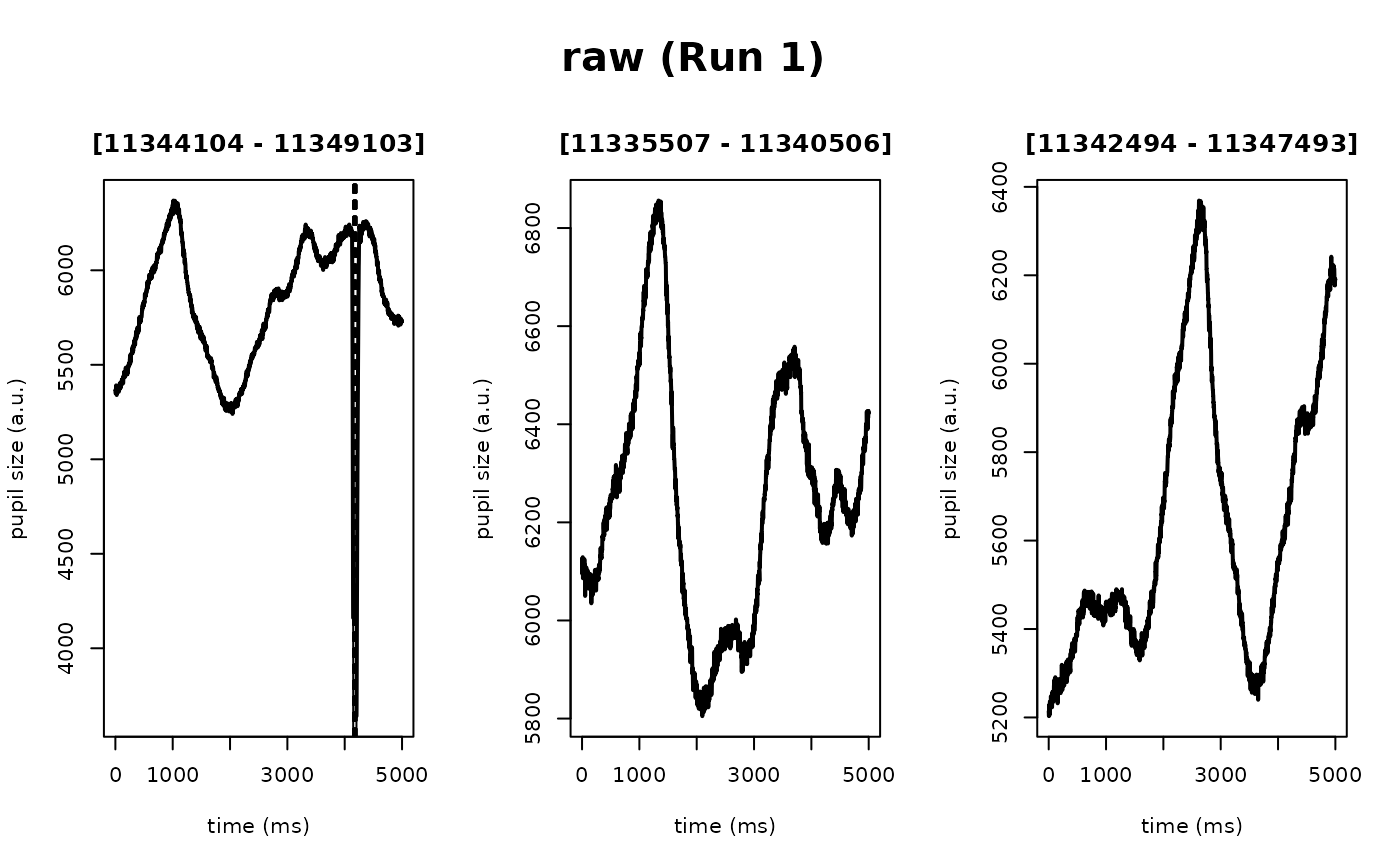
A flag to indicate whether to run the
glassboxpipeline autonomously all the way through (set toFALSEby default), or to interactively provide a visualization after each pipeline step, where you must also indicate "(y)es" or "(n)o" to either proceed or cancel the currentglassboxpipeline operation (set toTRUE)- preview_n
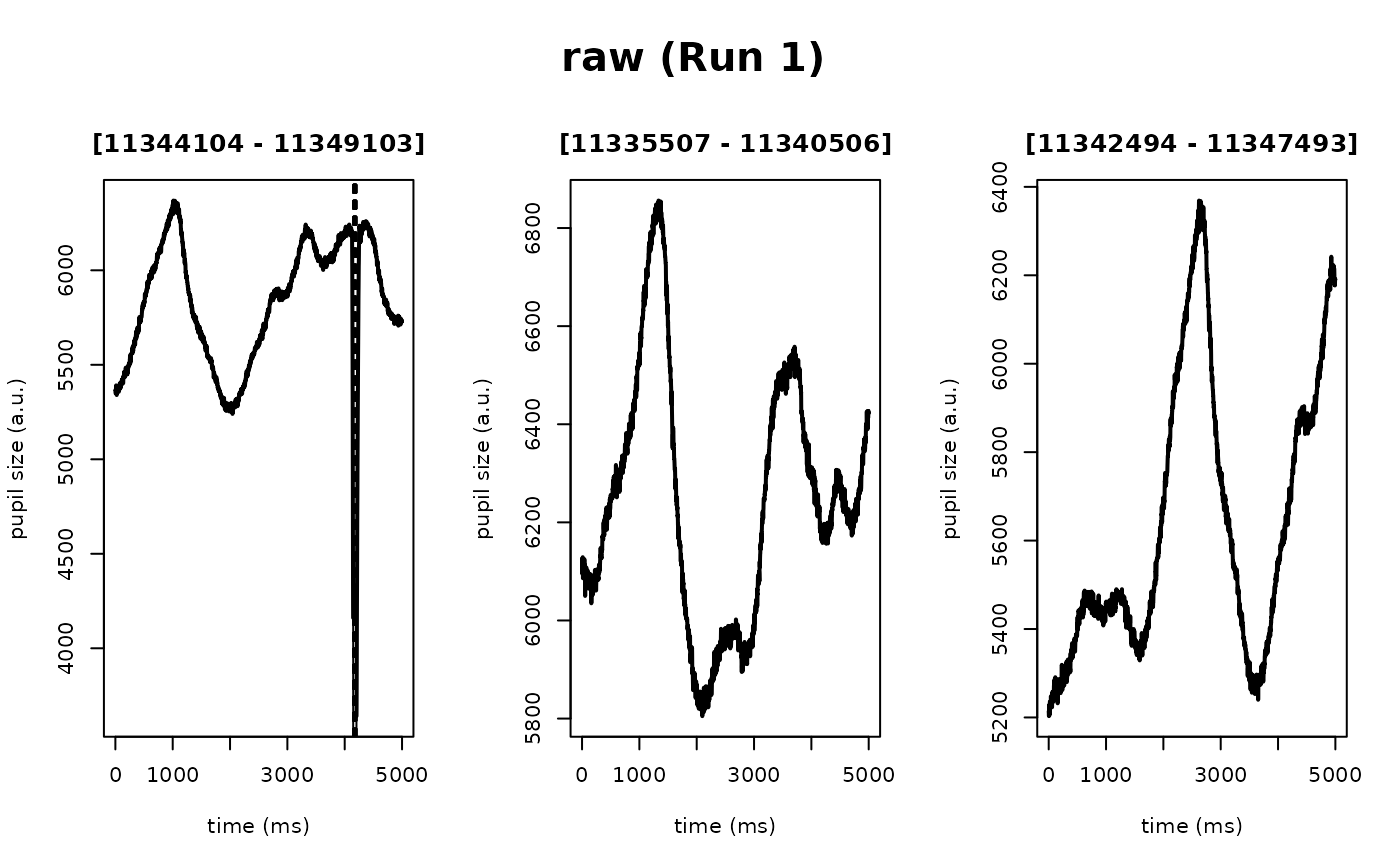
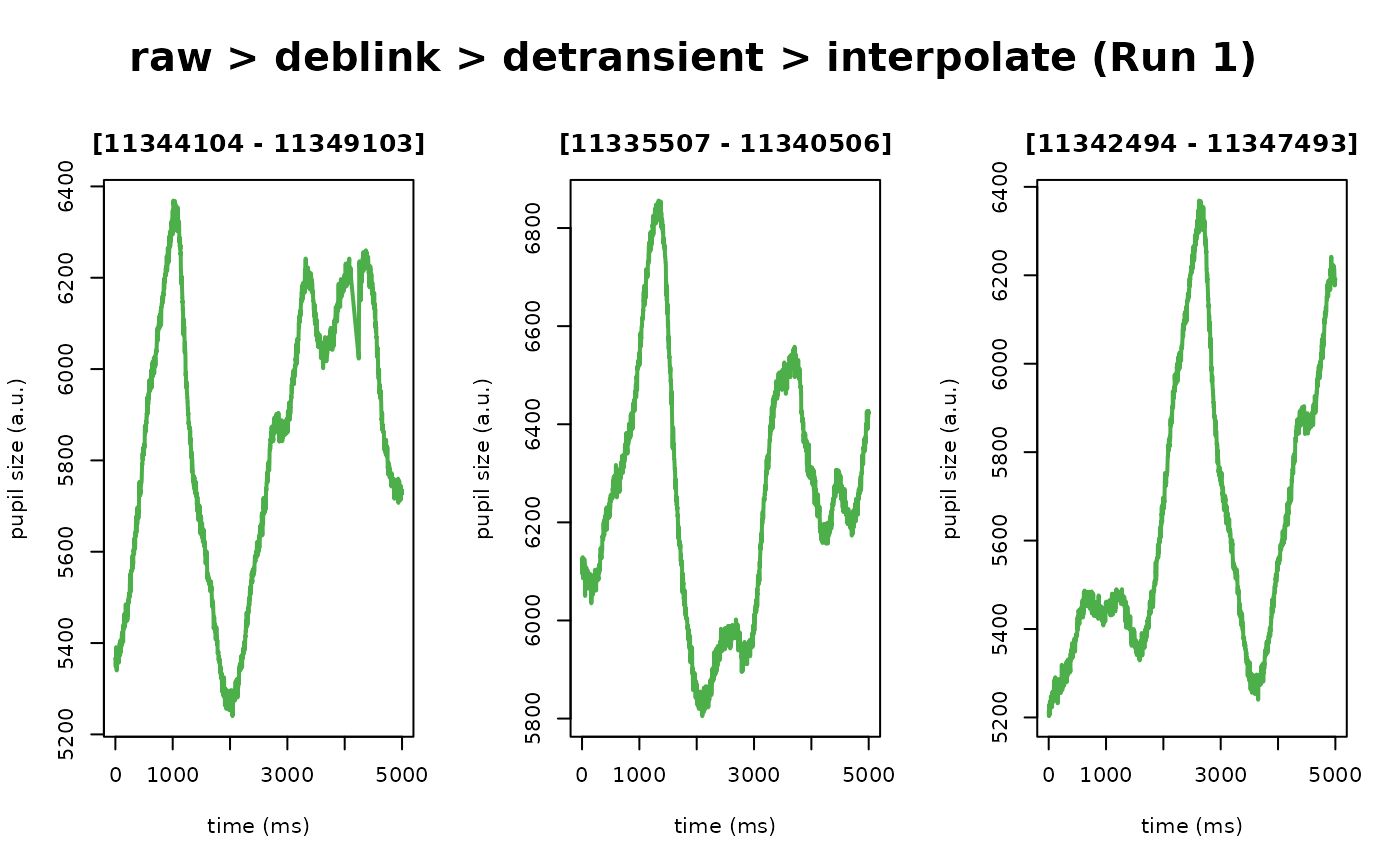
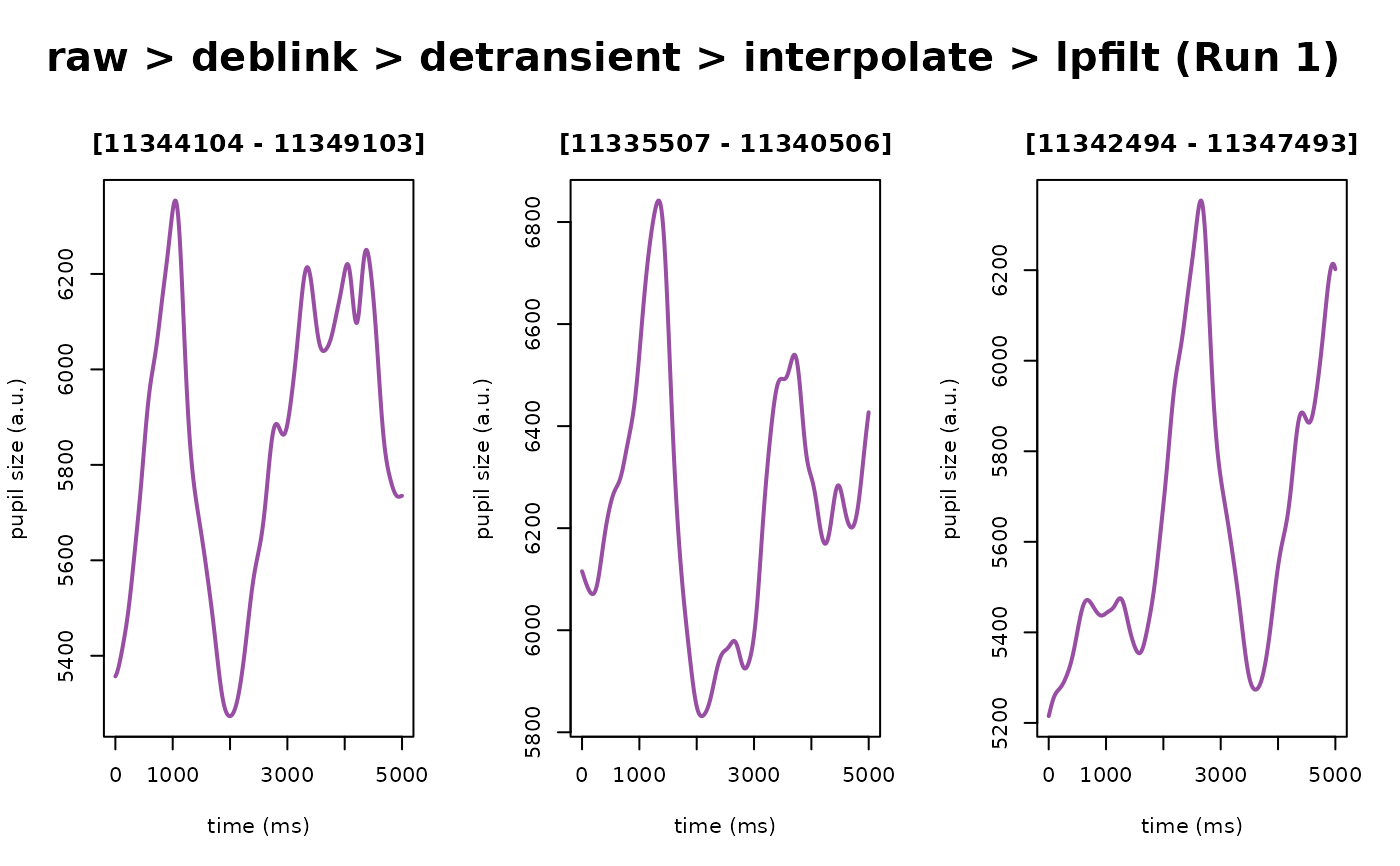
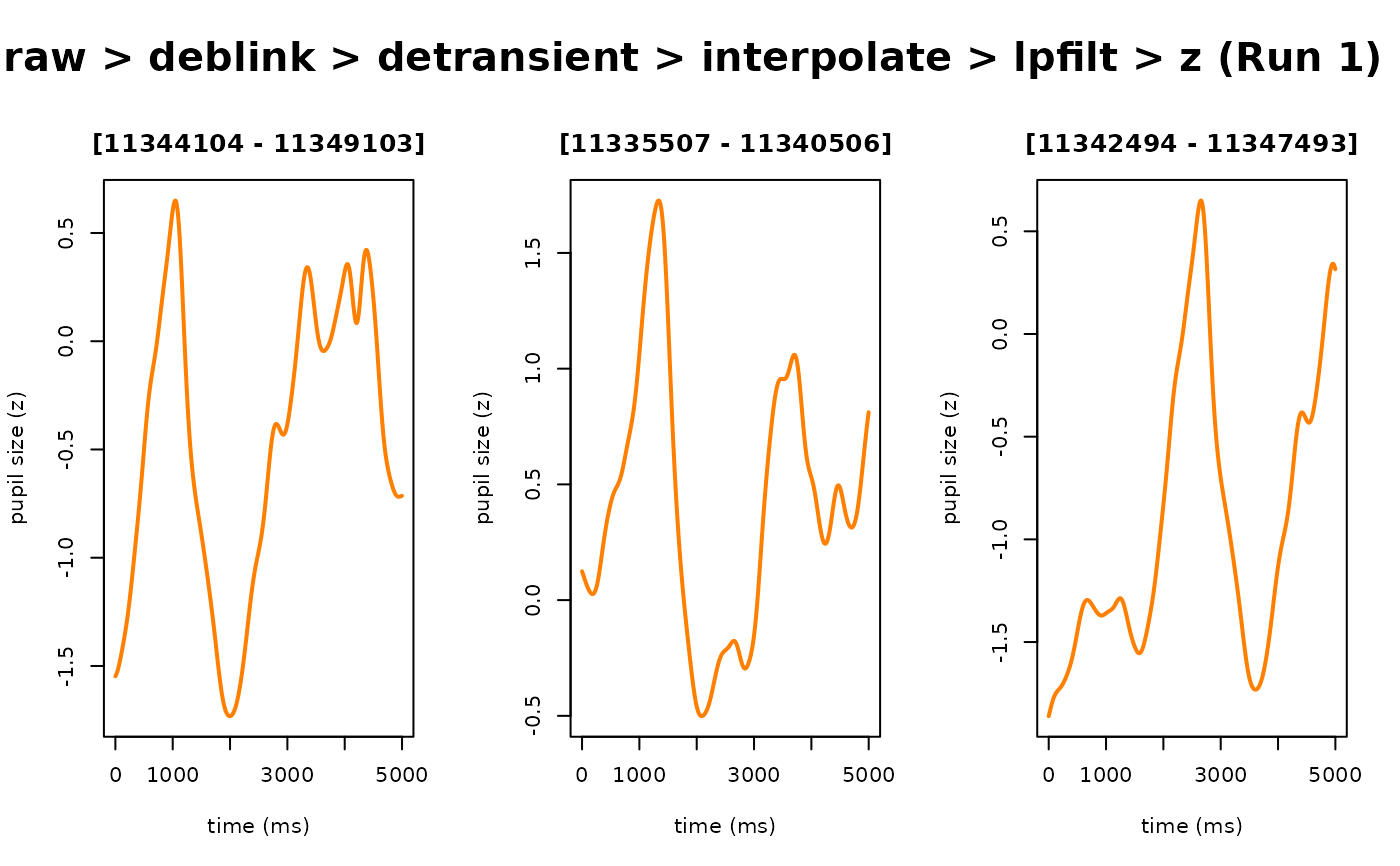
Number of random example "epochs" to generate for previewing the effect of each preprocessing step on the pupil time series
- preview_duration
Time in seconds of each randomly selected preview
- preview_window
The start and stop raw timestamps used to subset the preprocessed data from each step of the
eyerisworkflow for visualization. Defaults to NULL, meaning random epochs as defined bypreview_nandpreview_durationwill be plotted. To override the random epochs, setpreview_windowhere to a vector with relative start and stop times (in seconds), for example –c(5,6)– to indicate the raw data from 5-6 secs on data that were recorded at 1000 Hz). Note, the start/stop time values indicated here are in seconds becauseeyerisautomatically computes the indices for the supplied range of seconds using the$info$sample.ratemetadata in theeyerisS3 class object- verbose
A logical flag to indicate whether to print status messages to the console. Defaults to
TRUE. Set toFALSEto suppress messages about the current processing step and run silently- ...
Additional arguments to override the default, prescribed settings
- confirm
(Deprecated) Use
interactive_previewinstead- num_previews
(Deprecated) Use
preview_ninstead- detrend_data
(Deprecated) A flag to indicate whether to run the
detrendstep (set toFALSEby default). Detrending your pupil time series can have unintended consequences; we thus recommend that users understand the implications of detrending – in addition to whether detrending is appropriate for the research design and question(s) – before using this function- skip_detransient
(Deprecated) A flag to indicate whether to skip the
detransientstep (set toFALSEby default). In most cases, this should remainFALSE. For a more detailed description about likely edge cases that would prompt you to set this toTRUE, see the docs fordetransient()
Details
First, this glassbox function provides a highly opinionated prescription of
steps and starting parameters we believe any pupillometry researcher should
use as their defaults when preprocessing pupillometry data.
Second, and not mutually exclusive from the first point, using this function should ideally reduce the probability of accidental mishaps when "reimplementing" the steps from the preprocessing pipeline both within and across projects. We hope to streamline the process in such a way that you could collect a pupillometry dataset and within a few minutes assess the quality of those data while simultaneously running a full preprocessing pipeline in 1-ish line of code!
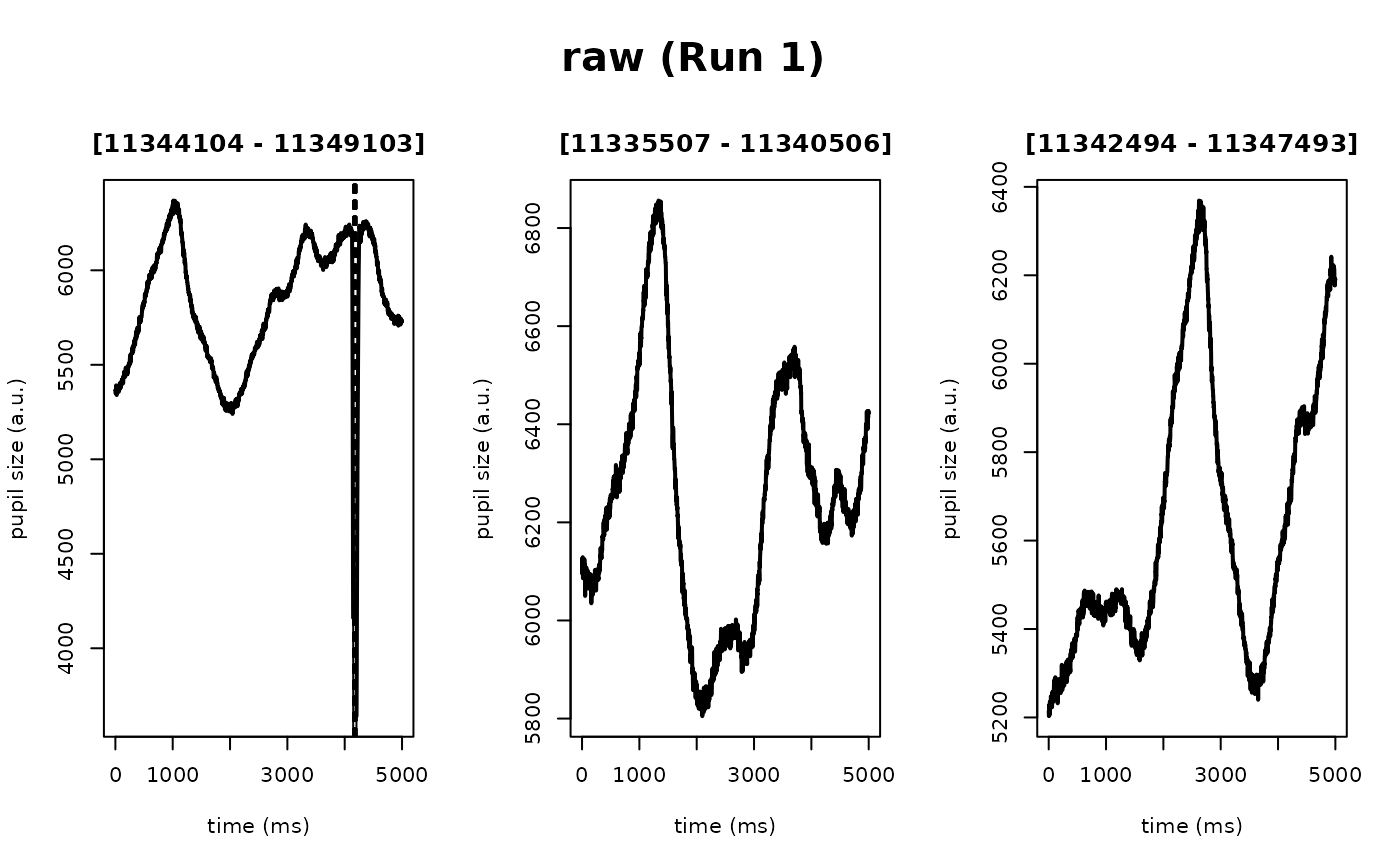
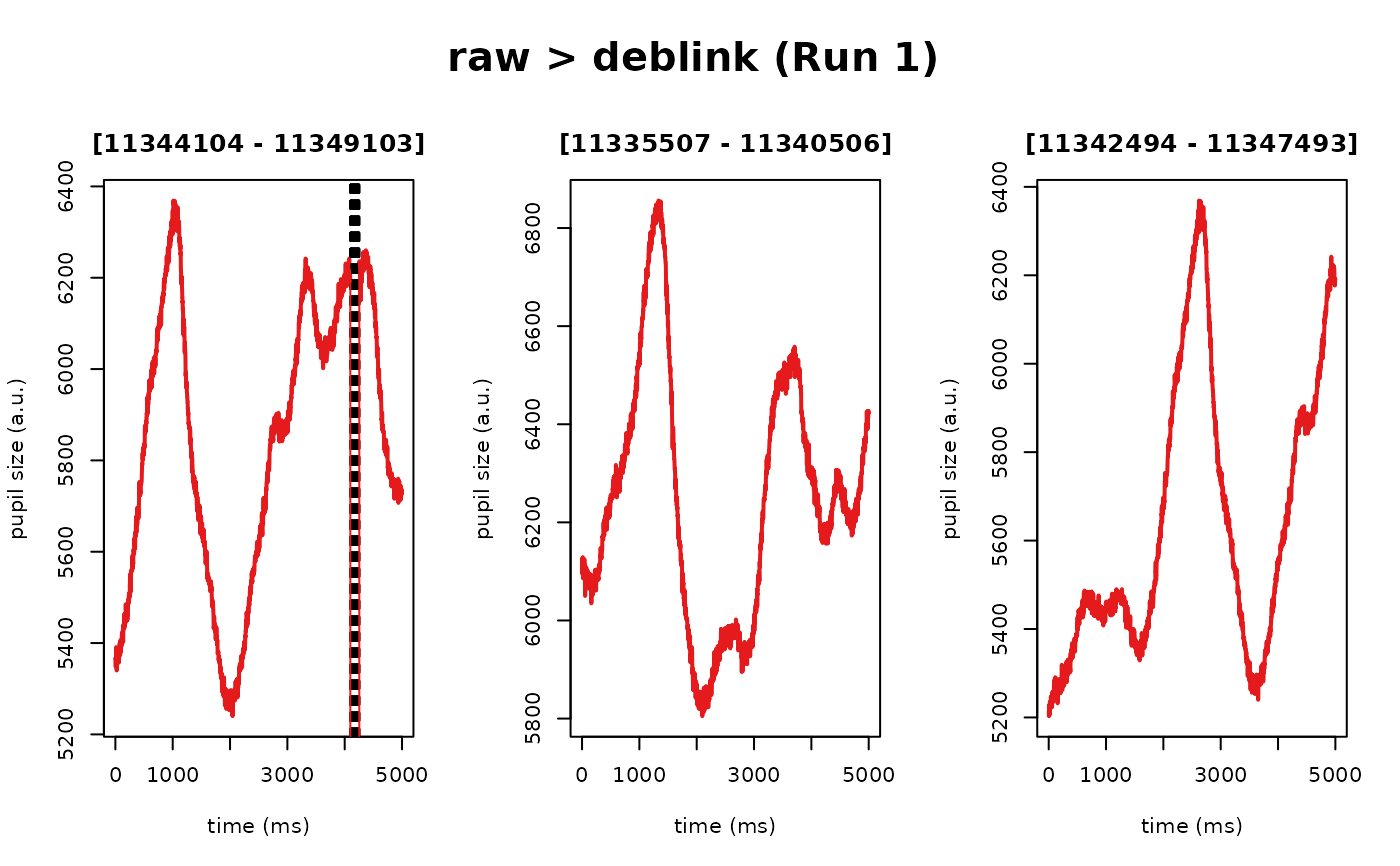
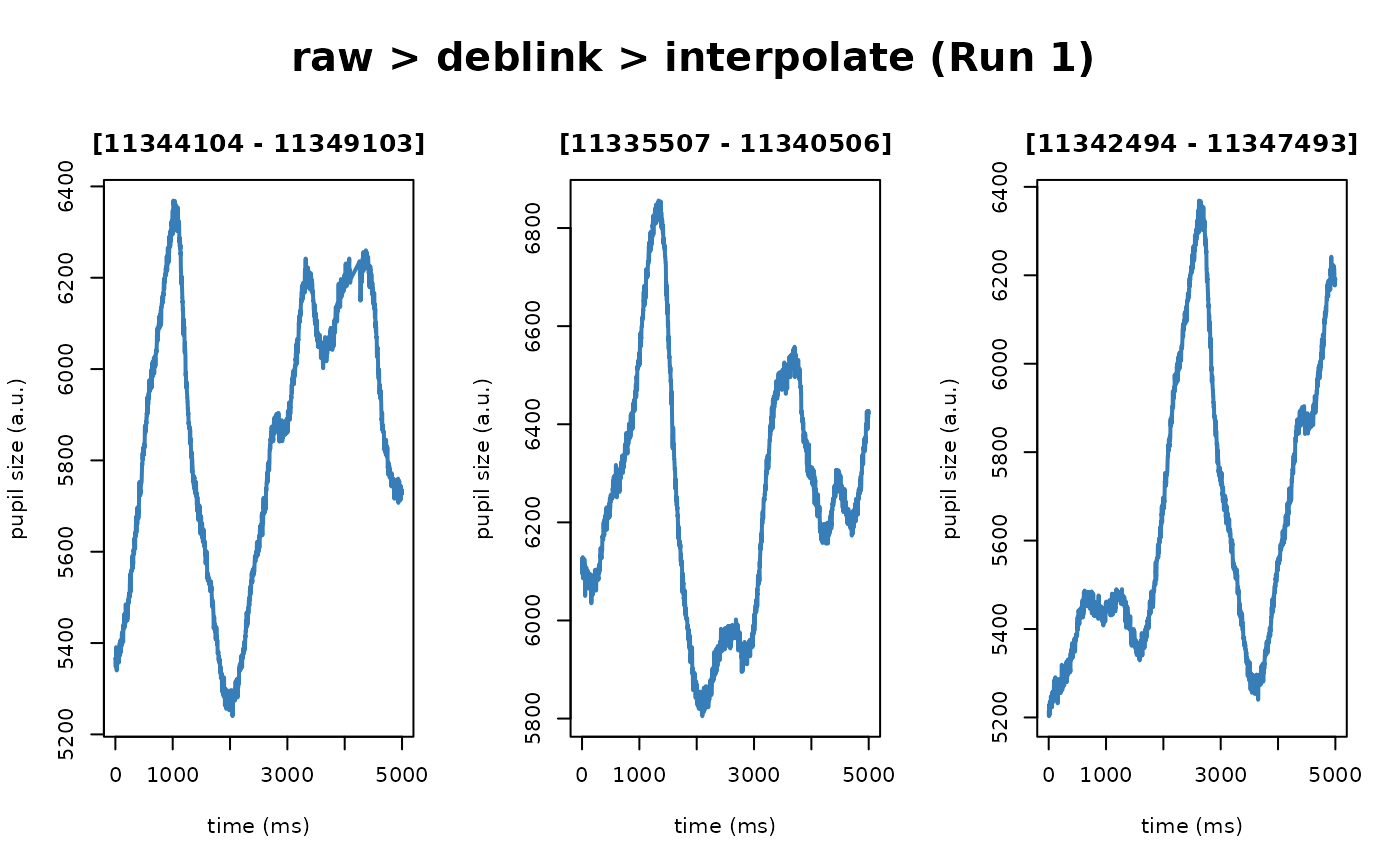
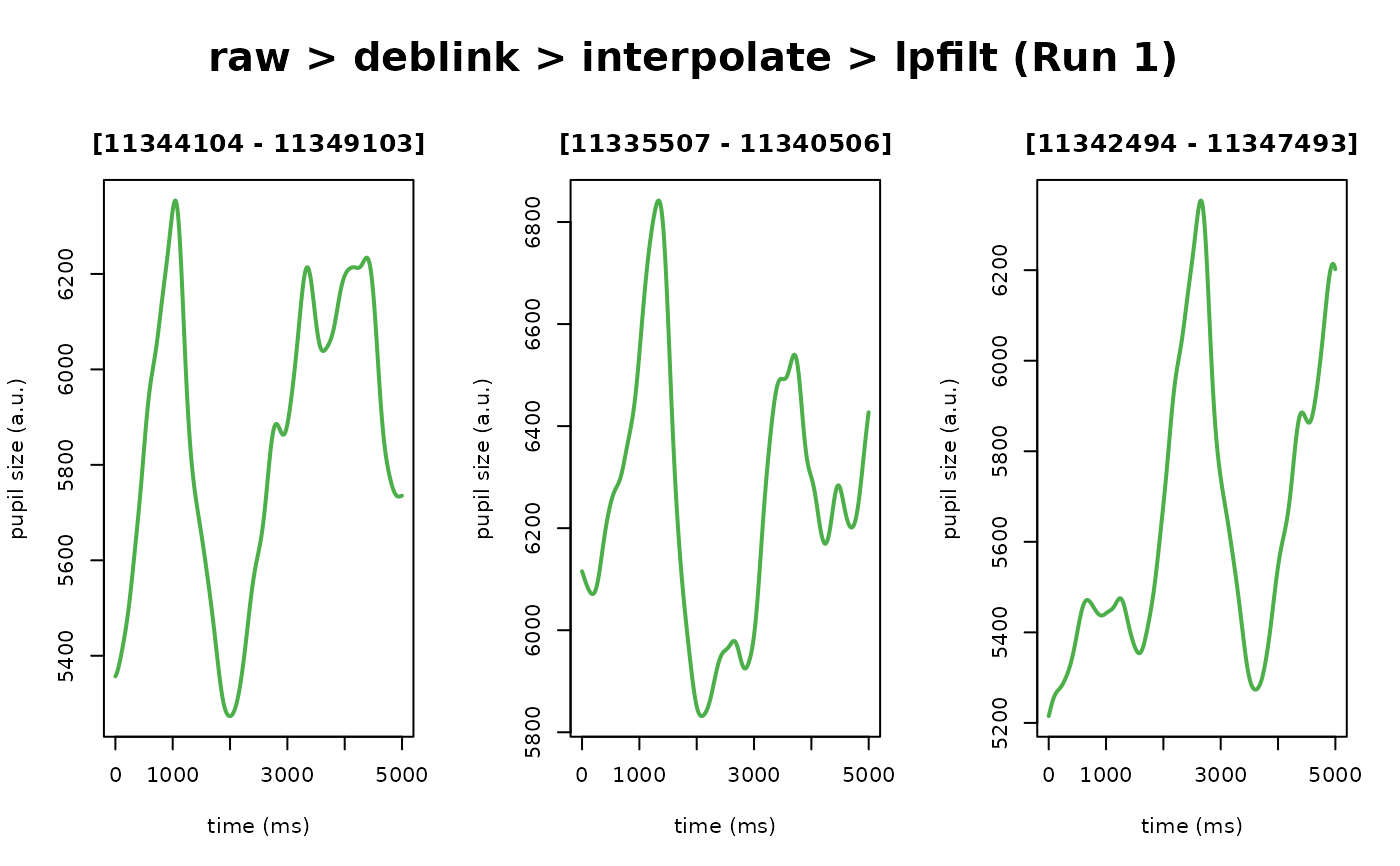
Third, glassbox provides an "interactive" framework where you can evaluate
the consequences of the parameters within each step on your data in real
time, facilitating a fairly easy-to-use workflow for parameter optimization
on your particular dataset. This process essentially takes each of the
opinionated steps and provides a pre-/post-plot of the time series data for
each step so you can adjust parameters and re-run the pipeline until you are
satisfied with the choices of your parameters and their consequences on your
pupil time series data.
What glassbox() does, step by step
In plain language, glassbox() runs the following eyeris steps in order on
your pupil time series. Steps marked (default: on) run automatically;
steps marked (default: off) are skipped unless you explicitly enable
them. Most preprocessing steps can be turned off by passing <step> = FALSE
(except load_asc, which always runs when file is an .asc path). Steps
that accept parameters can be
customized by passing <step> = list(...) with values you want to override
(for example, deblink = list(extend = 40)).
Load the data (
load_asc, default: on) – Reads and parses the EyeLink.ascfile into aneyerisobject, automatically splitting the recording into blocks and, for binocular recordings, handling each eye separately. Seeload_asc(). This step is skipped when a pre-loadedeyerisobject is passed asfile(see thefileparameter).Resample onto a uniform grid (
resample, default: on) – Places each block on the expected uniform sampling grid. For hardware that drops samples (instead of zero-filling) when pupil data is missing, this interpolates local sub-period timing jitter and insertsNArows at the dropped timestamps, so the rate-dependent steps that follow stay valid. A guaranteed no-op for already-uniform data (e.g., EyeLink). Seeresample().Remove blinks (
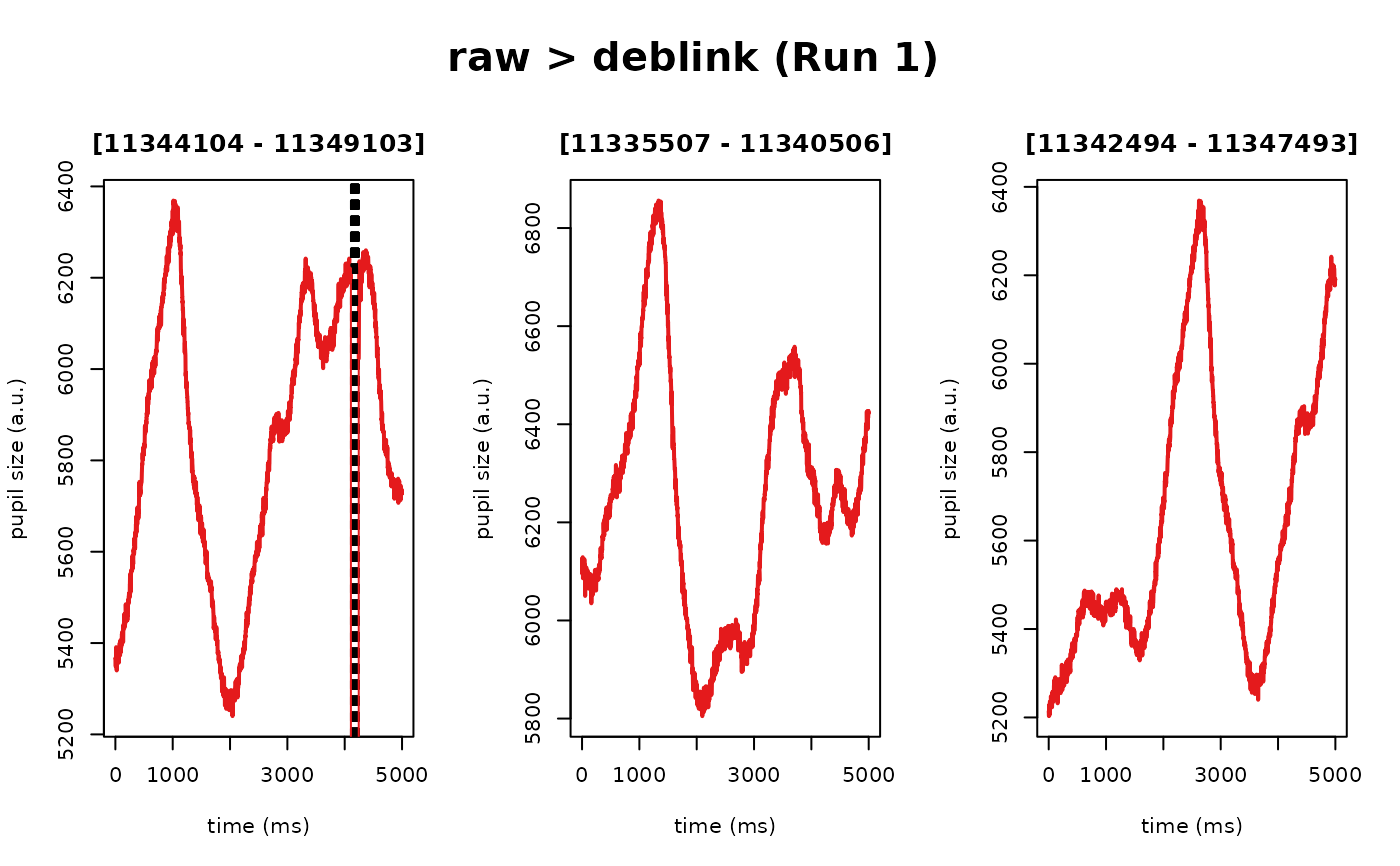
deblink, default: on) – Replaces the missing data around blinks withNAs, extending each gap by50ms on either side so that the rapid dips and spikes that surround a blink are removed too. Seedeblink().Remove transient artifacts (
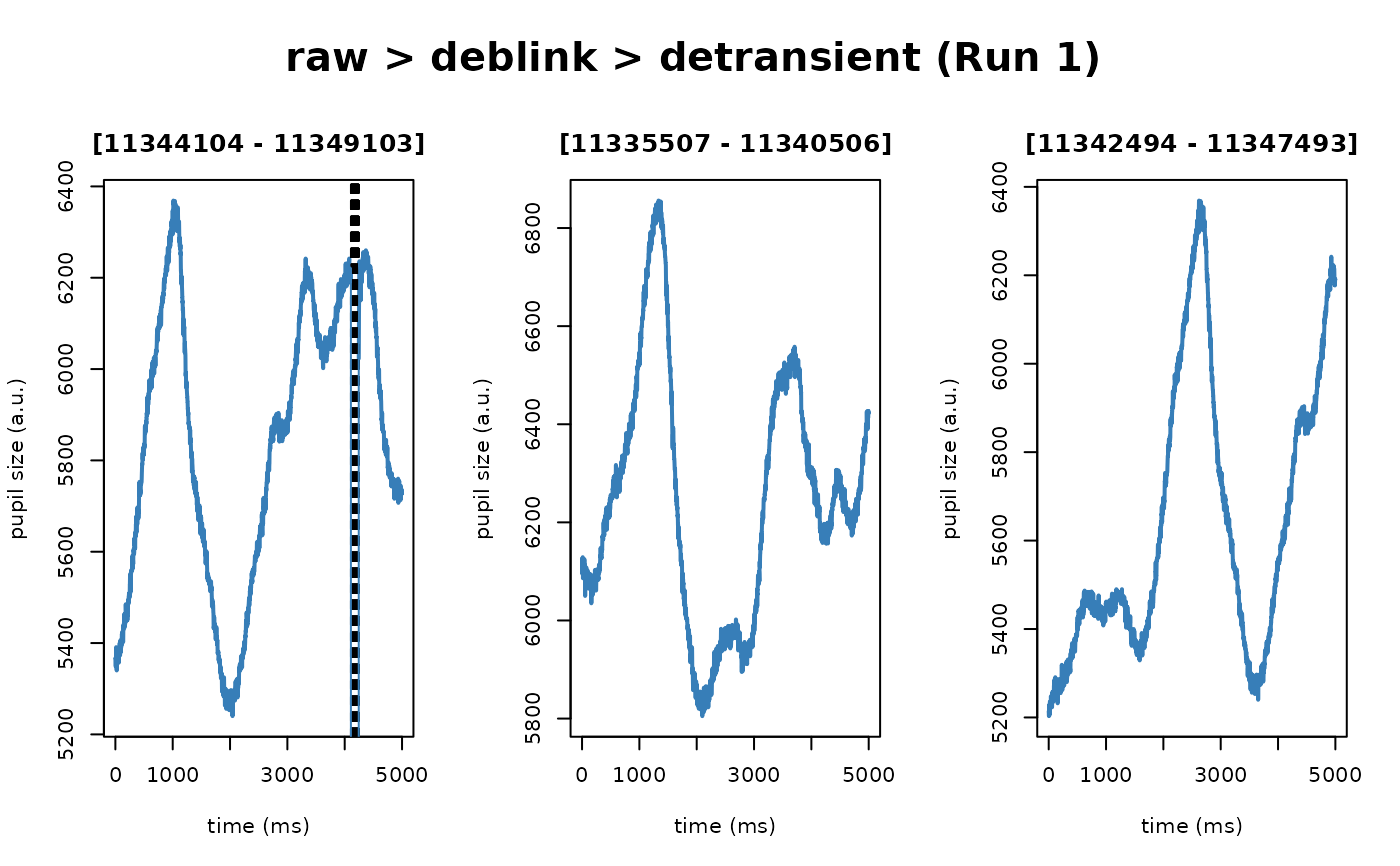
detransient, default: on) – Rejects pupil samples that change faster than is physiologically plausible, using a speed-based median absolute deviation (MAD) threshold. Seedetransient().Interpolate missing samples (
interpolate, default: on) – Fills theNAgaps left by the resample, deblink, and detransient steps using linear interpolation, producing a continuous, gap-free time series. Seeinterpolate().Smooth the signal (
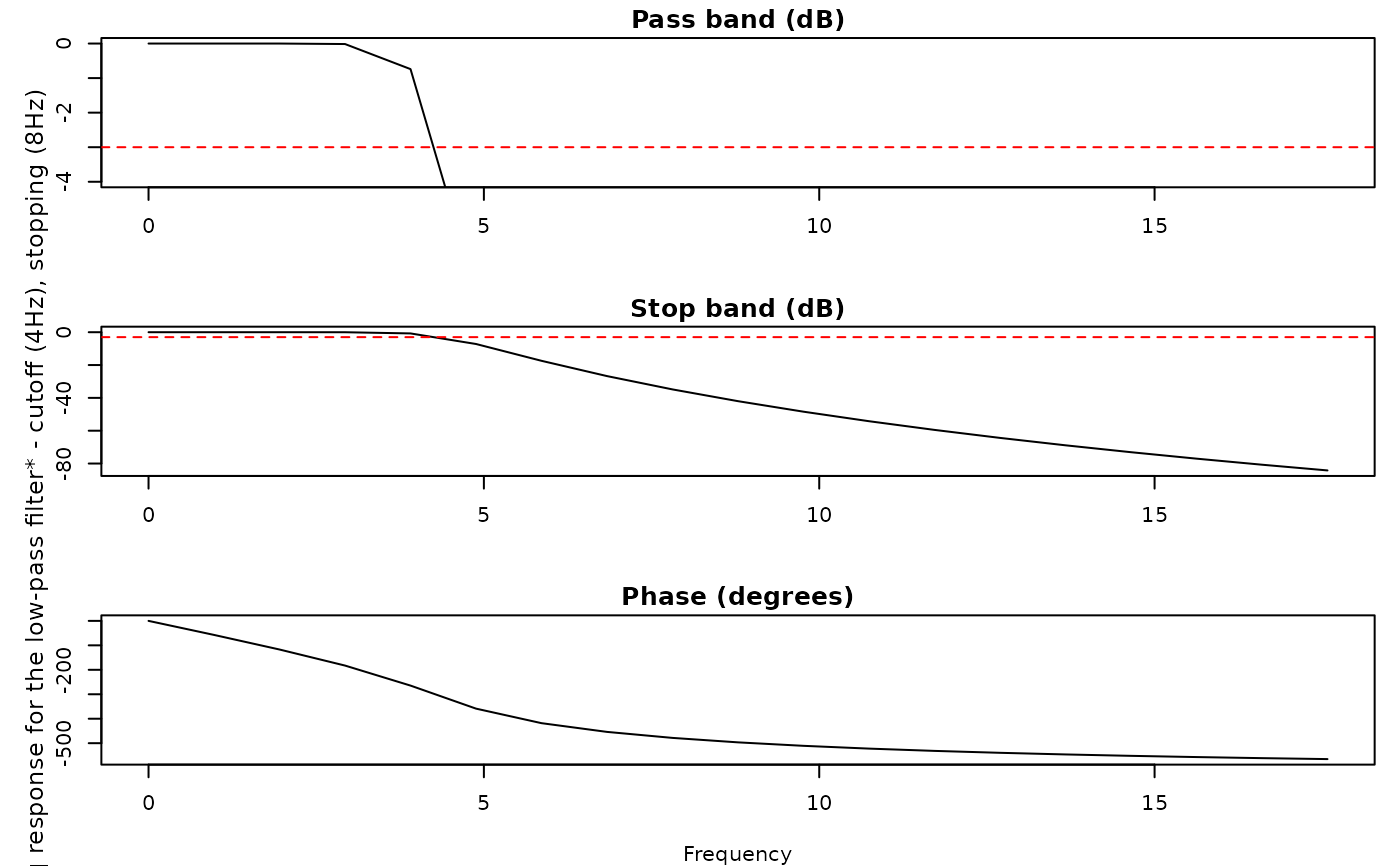
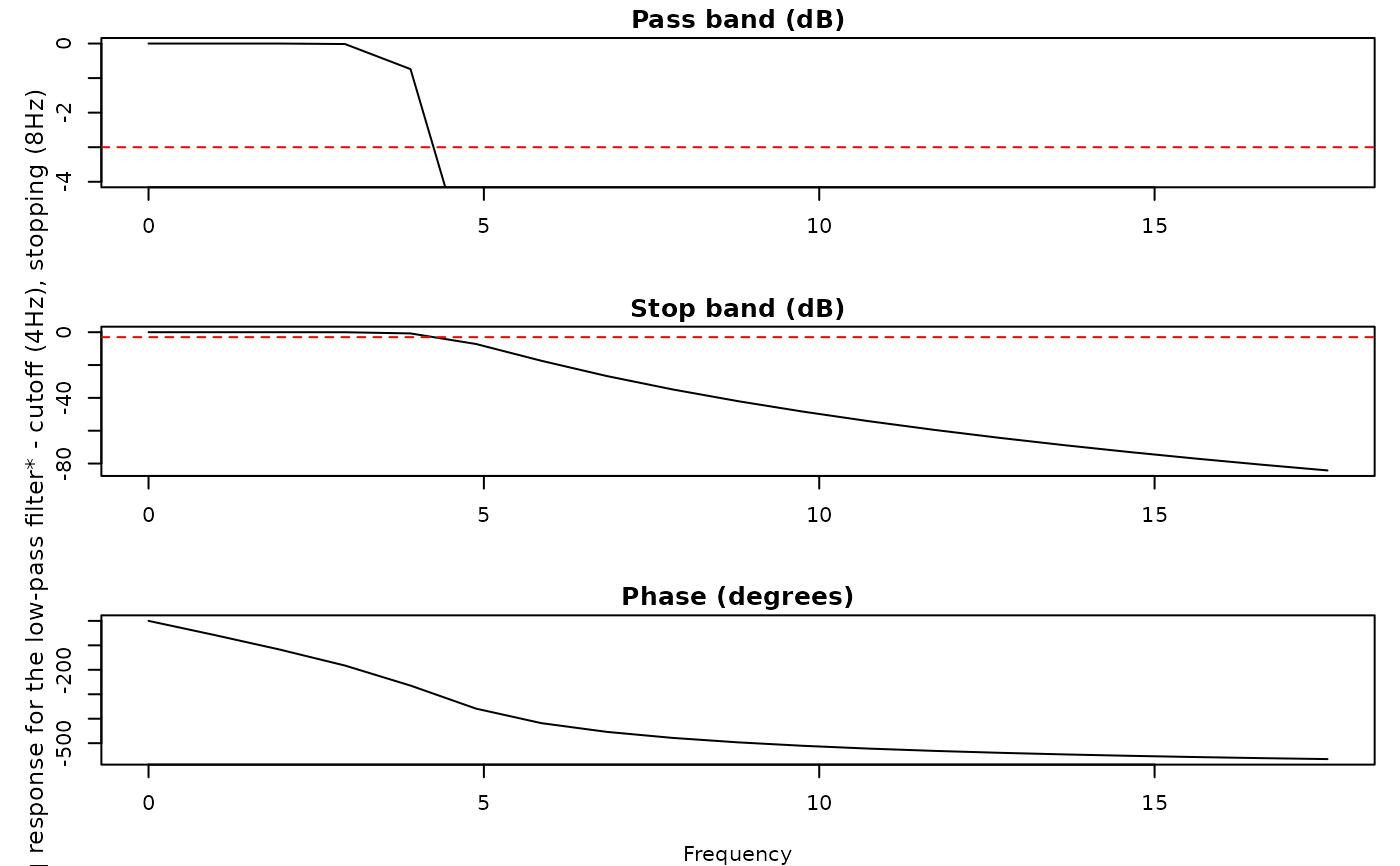
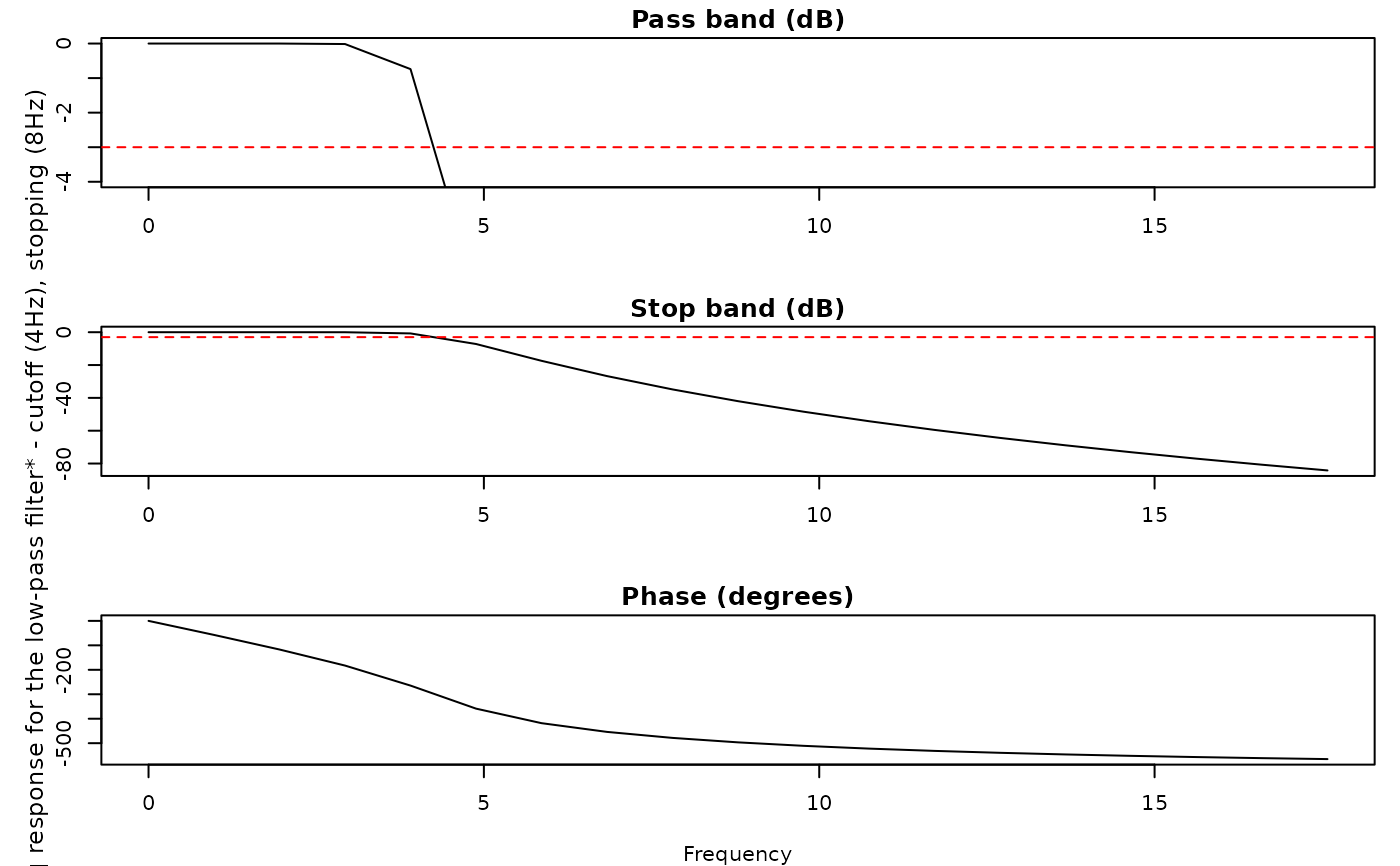
lpfilt, default: on) – Applies a low-pass filter (default4Hz passband) to remove high-frequency noise while preserving the slower pupil dynamics of interest. Seelpfilt().Downsample (
downsample, default: off) – Optionally lowers the sampling rate using an anti-aliasing filter, which preserves the temporal dynamics of the signal. Cannot be combined withbin. Seedownsample().Bin (
bin, default: off) – Optionally lowers the sampling rate by averaging samples within equal-width time bins. Cannot be combined withdownsample. Seebin().Detrend (
detrend, default: off) – Optionally fits a model ofpupil ~ timeand returns the residuals (along with the fitted trend) to remove slow drift. By default (detrend = TRUE) a straight-line (method = "linear") trend is removed; passdetrend = list(method = "spline", spline_df = 5)to instead remove a smooth, potentially nonlinear trend via a natural cubic spline of time. Use with care – seedetrend()for when this is appropriate.Z-score (
zscore, default: on) – Rescales the pupil time series to a mean of0and a standard deviation of1, making values comparable across participants and recordings. Seezscore().
After preprocessing, glassbox() calls summarize_confounds() to compute
per-step confound metrics (e.g., missingness and gaze statistics) and store them
in $confounds.
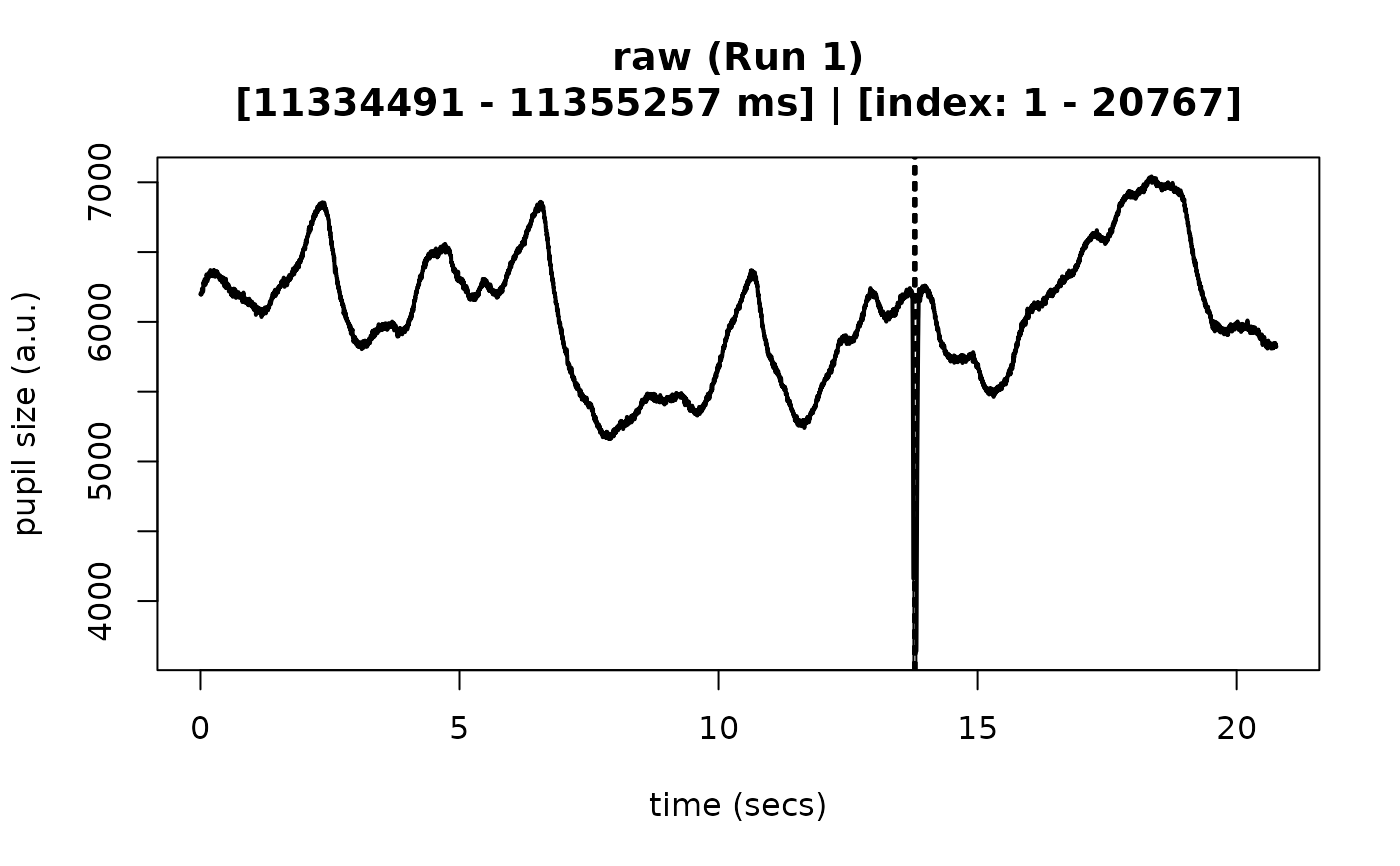
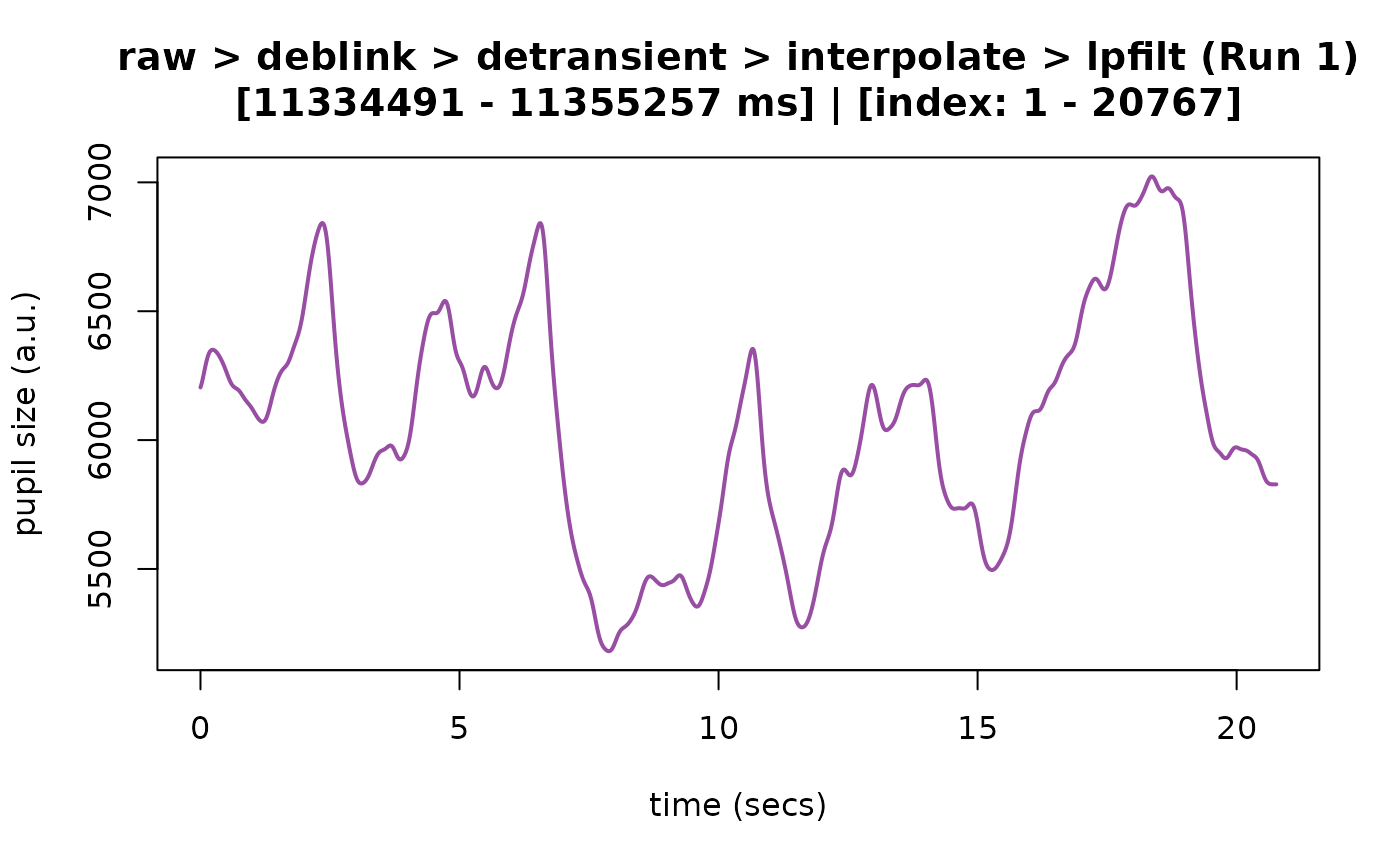
Crucially, each step adds a new column to the time series rather than
overwriting the previous one, so every intermediate stage is preserved inside
the returned eyeris object. This is what makes the pipeline a "glass box":
you can inspect, plot, and compare the data before and after each
transformation (for example, plot(output, steps = c(1, 5))).
Examples
demo_data <- eyelink_asc_demo_dataset()
# (1) examples using the default prescribed parameters and pipeline recipe
## (a) run an automated pipeline with no real-time inspection of parameters
output <- eyeris::glassbox(demo_data)
#> ✔ [2026-10-07 11:13:52] [OKAY] Running eyeris::load_asc()
#> ✔ [2026-10-07 11:13:52] [OKAY] Running eyeris::resample()
#> ℹ [2026-10-07 11:13:52] [INFO] Processing block: block_1
#> ✔ [2026-10-07 11:13:52] [OKAY] Running eyeris::deblink() for block_1
#> ✔ [2026-10-07 11:13:52] [OKAY] Running eyeris::detransient() for block_1
#> ✔ [2026-10-07 11:13:52] [OKAY] Running eyeris::interpolate() for block_1
#> ! [2026-10-07 11:13:52] [WARN] Interpolation now leaves gaps longer than 250 ms
#> as `NA` instead of interpolating across them (following Kret & Sjak-Shie,
#> 2018). This is a change in default behavior from eyeris <= 3.2.0 and may affect
#> your results. To restore the previous behavior, set `interpolate =
#> list(max_gap_ms = Inf)` in `glassbox()` (or `max_gap_ms = Inf` in
#> `interpolate()`).
#> ✔ [2026-10-07 11:13:52] [OKAY] Running eyeris::lpfilt() for block_1
 #> ! [2026-10-07 11:13:52] [WARN] Skipping eyeris::downsample() for block_1
#> ! [2026-10-07 11:13:52] [WARN] Skipping eyeris::bin() for block_1
#> ! [2026-10-07 11:13:52] [WARN] Skipping eyeris::detrend() for block_1
#> ✔ [2026-10-07 11:13:52] [OKAY] Running eyeris::zscore() for block_1
#> ℹ [2026-10-07 11:13:52] [INFO] Block processing summary:
#> ℹ [2026-10-07 11:13:52] [INFO] block_1: OK (steps: 6, latest:
#> pupil_raw_deblink_detransient_interpolate_lpfilt_z)
#> ✔ [2026-10-07 11:13:52] [OKAY] Running eyeris::summarize_confounds()
start_time <- min(output$timeseries$block_1$time_secs)
end_time <- max(output$timeseries$block_1$time_secs)
# by default, verbose = TRUE. To suppress messages, set verbose = FALSE.
plot(
output,
steps = c(1, 5),
preview_window = c(start_time, end_time),
seed = 0
)
#> ℹ [2026-10-07 11:13:52] [INFO] Plotting block 1 with sampling rate 1000 Hz from
#> possible blocks: 1
#> ! [2026-10-07 11:13:52] [WARN] Skipping eyeris::downsample() for block_1
#> ! [2026-10-07 11:13:52] [WARN] Skipping eyeris::bin() for block_1
#> ! [2026-10-07 11:13:52] [WARN] Skipping eyeris::detrend() for block_1
#> ✔ [2026-10-07 11:13:52] [OKAY] Running eyeris::zscore() for block_1
#> ℹ [2026-10-07 11:13:52] [INFO] Block processing summary:
#> ℹ [2026-10-07 11:13:52] [INFO] block_1: OK (steps: 6, latest:
#> pupil_raw_deblink_detransient_interpolate_lpfilt_z)
#> ✔ [2026-10-07 11:13:52] [OKAY] Running eyeris::summarize_confounds()
start_time <- min(output$timeseries$block_1$time_secs)
end_time <- max(output$timeseries$block_1$time_secs)
# by default, verbose = TRUE. To suppress messages, set verbose = FALSE.
plot(
output,
steps = c(1, 5),
preview_window = c(start_time, end_time),
seed = 0
)
#> ℹ [2026-10-07 11:13:52] [INFO] Plotting block 1 with sampling rate 1000 Hz from
#> possible blocks: 1
 ## (b) run a interactive workflow (with confirmation prompts after each step)
# \donttest{
output <- eyeris::glassbox(demo_data, interactive_preview = TRUE, seed = 0)
#> ✔ [2026-10-07 11:13:53] [OKAY] Running eyeris::load_asc()
#> ℹ [2026-10-07 11:13:53] [INFO] Plotting block 1 with sampling rate 1000 Hz from
#> possible blocks: 1
## (b) run a interactive workflow (with confirmation prompts after each step)
# \donttest{
output <- eyeris::glassbox(demo_data, interactive_preview = TRUE, seed = 0)
#> ✔ [2026-10-07 11:13:53] [OKAY] Running eyeris::load_asc()
#> ℹ [2026-10-07 11:13:53] [INFO] Plotting block 1 with sampling rate 1000 Hz from
#> possible blocks: 1
 #> Continue? [Yes/No]:
#> ℹ [2026-10-07 11:13:53] [INFO] Process cancelled after loading data. Adjust
#> your parameters and re-run!
# }
# (2) examples of overriding the default parameters
output <- eyeris::glassbox(
demo_data,
interactive_preview = FALSE, # TRUE to visualize each step in real-time
deblink = list(extend = 40),
# only interpolate gaps up to 100 ms; longer gaps are left as NA
interpolate = list(max_gap_ms = 100),
lpfilt = list(plot_freqz = TRUE) # overrides verbose parameter
)
#> ✔ [2026-10-07 11:13:53] [OKAY] Running eyeris::load_asc()
#> ✔ [2026-10-07 11:13:53] [OKAY] Running eyeris::resample()
#> ℹ [2026-10-07 11:13:53] [INFO] Processing block: block_1
#> ✔ [2026-10-07 11:13:53] [OKAY] Running eyeris::deblink() for block_1
#> ✔ [2026-10-07 11:13:53] [OKAY] Running eyeris::detransient() for block_1
#> ✔ [2026-10-07 11:13:53] [OKAY] Running eyeris::interpolate() for block_1
#> ! [2026-10-07 11:13:53] [WARN] Interpolation now leaves gaps longer than 100 ms
#> as `NA` instead of interpolating across them (following Kret & Sjak-Shie,
#> 2018). This is a change in default behavior from eyeris <= 3.2.0 and may affect
#> your results. To restore the previous behavior, set `interpolate =
#> list(max_gap_ms = Inf)` in `glassbox()` (or `max_gap_ms = Inf` in
#> `interpolate()`).
#> ! [2026-10-07 11:13:53] [WARN] Left 136 sample(s) as NA across gaps longer than
#> 100 ms (not interpolated).
#> ✔ [2026-10-07 11:13:53] [OKAY] Running eyeris::lpfilt() for block_1
#> ! [2026-10-07 11:13:53] [WARN] `lpfilt()` is operating on data that contains
#> gaps longer than the interpolation limit (`max_gap_ms`), which were left as
#> `NA`. These gaps are temporarily filled so the filter can run and then masked
#> back to `NA`; this can slightly bias the valid pupil samples immediately
#> adjacent to each gap toward the interpolated values. If this bias is a concern
#> for your analysis, consider disabling filtering and/or downsampling (e.g.
#> `lpfilt = FALSE` and/or `downsample = FALSE` in `glassbox()`).
#> Continue? [Yes/No]:
#> ℹ [2026-10-07 11:13:53] [INFO] Process cancelled after loading data. Adjust
#> your parameters and re-run!
# }
# (2) examples of overriding the default parameters
output <- eyeris::glassbox(
demo_data,
interactive_preview = FALSE, # TRUE to visualize each step in real-time
deblink = list(extend = 40),
# only interpolate gaps up to 100 ms; longer gaps are left as NA
interpolate = list(max_gap_ms = 100),
lpfilt = list(plot_freqz = TRUE) # overrides verbose parameter
)
#> ✔ [2026-10-07 11:13:53] [OKAY] Running eyeris::load_asc()
#> ✔ [2026-10-07 11:13:53] [OKAY] Running eyeris::resample()
#> ℹ [2026-10-07 11:13:53] [INFO] Processing block: block_1
#> ✔ [2026-10-07 11:13:53] [OKAY] Running eyeris::deblink() for block_1
#> ✔ [2026-10-07 11:13:53] [OKAY] Running eyeris::detransient() for block_1
#> ✔ [2026-10-07 11:13:53] [OKAY] Running eyeris::interpolate() for block_1
#> ! [2026-10-07 11:13:53] [WARN] Interpolation now leaves gaps longer than 100 ms
#> as `NA` instead of interpolating across them (following Kret & Sjak-Shie,
#> 2018). This is a change in default behavior from eyeris <= 3.2.0 and may affect
#> your results. To restore the previous behavior, set `interpolate =
#> list(max_gap_ms = Inf)` in `glassbox()` (or `max_gap_ms = Inf` in
#> `interpolate()`).
#> ! [2026-10-07 11:13:53] [WARN] Left 136 sample(s) as NA across gaps longer than
#> 100 ms (not interpolated).
#> ✔ [2026-10-07 11:13:53] [OKAY] Running eyeris::lpfilt() for block_1
#> ! [2026-10-07 11:13:53] [WARN] `lpfilt()` is operating on data that contains
#> gaps longer than the interpolation limit (`max_gap_ms`), which were left as
#> `NA`. These gaps are temporarily filled so the filter can run and then masked
#> back to `NA`; this can slightly bias the valid pupil samples immediately
#> adjacent to each gap toward the interpolated values. If this bias is a concern
#> for your analysis, consider disabling filtering and/or downsampling (e.g.
#> `lpfilt = FALSE` and/or `downsample = FALSE` in `glassbox()`).
 #> ! [2026-10-07 11:13:53] [WARN] Skipping eyeris::downsample() for block_1
#> ! [2026-10-07 11:13:53] [WARN] Skipping eyeris::bin() for block_1
#> ! [2026-10-07 11:13:53] [WARN] Skipping eyeris::detrend() for block_1
#> ✔ [2026-10-07 11:13:53] [OKAY] Running eyeris::zscore() for block_1
#> ℹ [2026-10-07 11:13:53] [INFO] Block processing summary:
#> ℹ [2026-10-07 11:13:53] [INFO] block_1: OK (steps: 6, latest:
#> pupil_raw_deblink_detransient_interpolate_lpfilt_z)
#> ✔ [2026-10-07 11:13:53] [OKAY] Running eyeris::summarize_confounds()
# to suppress messages, set verbose = FALSE in plot():
plot(output, seed = 0, verbose = FALSE, preview_window = c(10, 12))
#> ! [2026-10-07 11:13:53] [WARN] Skipping eyeris::downsample() for block_1
#> ! [2026-10-07 11:13:53] [WARN] Skipping eyeris::bin() for block_1
#> ! [2026-10-07 11:13:53] [WARN] Skipping eyeris::detrend() for block_1
#> ✔ [2026-10-07 11:13:53] [OKAY] Running eyeris::zscore() for block_1
#> ℹ [2026-10-07 11:13:53] [INFO] Block processing summary:
#> ℹ [2026-10-07 11:13:53] [INFO] block_1: OK (steps: 6, latest:
#> pupil_raw_deblink_detransient_interpolate_lpfilt_z)
#> ✔ [2026-10-07 11:13:53] [OKAY] Running eyeris::summarize_confounds()
# to suppress messages, set verbose = FALSE in plot():
plot(output, seed = 0, verbose = FALSE, preview_window = c(10, 12))
 # (3) examples of disabling certain steps
output <- eyeris::glassbox(
demo_data,
detransient = FALSE,
detrend = FALSE,
zscore = FALSE
)
#> ✔ [2026-10-07 11:13:53] [OKAY] Running eyeris::load_asc()
#> ✔ [2026-10-07 11:13:54] [OKAY] Running eyeris::resample()
#> ℹ [2026-10-07 11:13:54] [INFO] Processing block: block_1
#> ✔ [2026-10-07 11:13:54] [OKAY] Running eyeris::deblink() for block_1
#> ! [2026-10-07 11:13:54] [WARN] Skipping eyeris::detransient() for block_1
#> ✔ [2026-10-07 11:13:54] [OKAY] Running eyeris::interpolate() for block_1
#> ! [2026-10-07 11:13:54] [WARN] Interpolation now leaves gaps longer than 250 ms
#> as `NA` instead of interpolating across them (following Kret & Sjak-Shie,
#> 2018). This is a change in default behavior from eyeris <= 3.2.0 and may affect
#> your results. To restore the previous behavior, set `interpolate =
#> list(max_gap_ms = Inf)` in `glassbox()` (or `max_gap_ms = Inf` in
#> `interpolate()`).
#> ✔ [2026-10-07 11:13:54] [OKAY] Running eyeris::lpfilt() for block_1
# (3) examples of disabling certain steps
output <- eyeris::glassbox(
demo_data,
detransient = FALSE,
detrend = FALSE,
zscore = FALSE
)
#> ✔ [2026-10-07 11:13:53] [OKAY] Running eyeris::load_asc()
#> ✔ [2026-10-07 11:13:54] [OKAY] Running eyeris::resample()
#> ℹ [2026-10-07 11:13:54] [INFO] Processing block: block_1
#> ✔ [2026-10-07 11:13:54] [OKAY] Running eyeris::deblink() for block_1
#> ! [2026-10-07 11:13:54] [WARN] Skipping eyeris::detransient() for block_1
#> ✔ [2026-10-07 11:13:54] [OKAY] Running eyeris::interpolate() for block_1
#> ! [2026-10-07 11:13:54] [WARN] Interpolation now leaves gaps longer than 250 ms
#> as `NA` instead of interpolating across them (following Kret & Sjak-Shie,
#> 2018). This is a change in default behavior from eyeris <= 3.2.0 and may affect
#> your results. To restore the previous behavior, set `interpolate =
#> list(max_gap_ms = Inf)` in `glassbox()` (or `max_gap_ms = Inf` in
#> `interpolate()`).
#> ✔ [2026-10-07 11:13:54] [OKAY] Running eyeris::lpfilt() for block_1
 #> ! [2026-10-07 11:13:54] [WARN] Skipping eyeris::downsample() for block_1
#> ! [2026-10-07 11:13:54] [WARN] Skipping eyeris::bin() for block_1
#> ! [2026-10-07 11:13:54] [WARN] Skipping eyeris::detrend() for block_1
#> ! [2026-10-07 11:13:54] [WARN] Skipping eyeris::zscore() for block_1
#> ℹ [2026-10-07 11:13:54] [INFO] Block processing summary:
#> ℹ [2026-10-07 11:13:54] [INFO] block_1: OK (steps: 4, latest:
#> pupil_raw_deblink_interpolate_lpfilt)
#> ✔ [2026-10-07 11:13:54] [OKAY] Running eyeris::summarize_confounds()
plot(output, seed = 0, preview_window = c(10, 12))
#> ℹ [2026-10-07 11:13:54] [INFO] Plotting block 1 with sampling rate 1000 Hz from
#> possible blocks: 1
#> ! [2026-10-07 11:13:54] [WARN] Skipping eyeris::downsample() for block_1
#> ! [2026-10-07 11:13:54] [WARN] Skipping eyeris::bin() for block_1
#> ! [2026-10-07 11:13:54] [WARN] Skipping eyeris::detrend() for block_1
#> ! [2026-10-07 11:13:54] [WARN] Skipping eyeris::zscore() for block_1
#> ℹ [2026-10-07 11:13:54] [INFO] Block processing summary:
#> ℹ [2026-10-07 11:13:54] [INFO] block_1: OK (steps: 4, latest:
#> pupil_raw_deblink_interpolate_lpfilt)
#> ✔ [2026-10-07 11:13:54] [OKAY] Running eyeris::summarize_confounds()
plot(output, seed = 0, preview_window = c(10, 12))
#> ℹ [2026-10-07 11:13:54] [INFO] Plotting block 1 with sampling rate 1000 Hz from
#> possible blocks: 1